Applications Usage
This screen displays usage statistics for applications used in the site. An application can be a specific app or service (for example, Facebook) or a general protocol (for example, HTTP). You can also block or restrict bandwidth for applications at the gateway, and for multiple applications by category.
Click Site-wide > Applications Usage to access this screen.
 You can view this screen by application or by category.
Site-wide > Applications usage: Application View 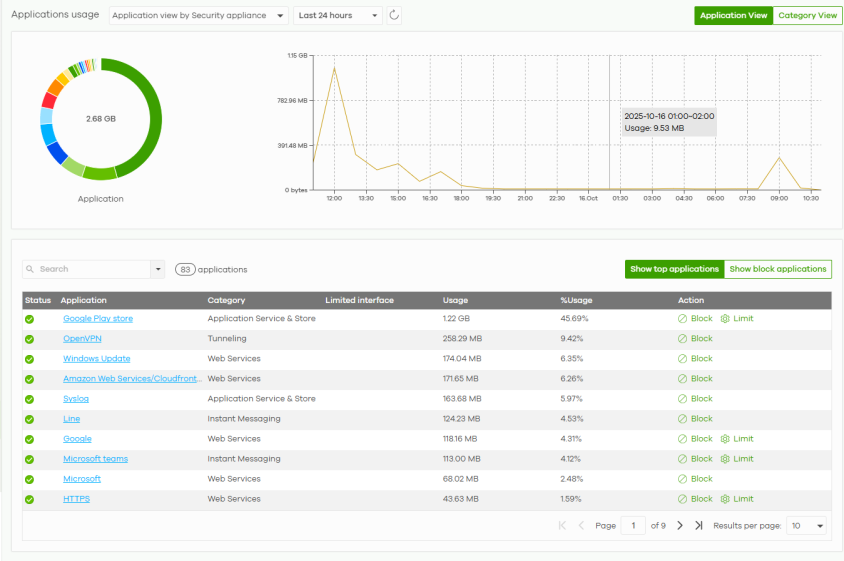
Site-wide > Applications usage: Category View 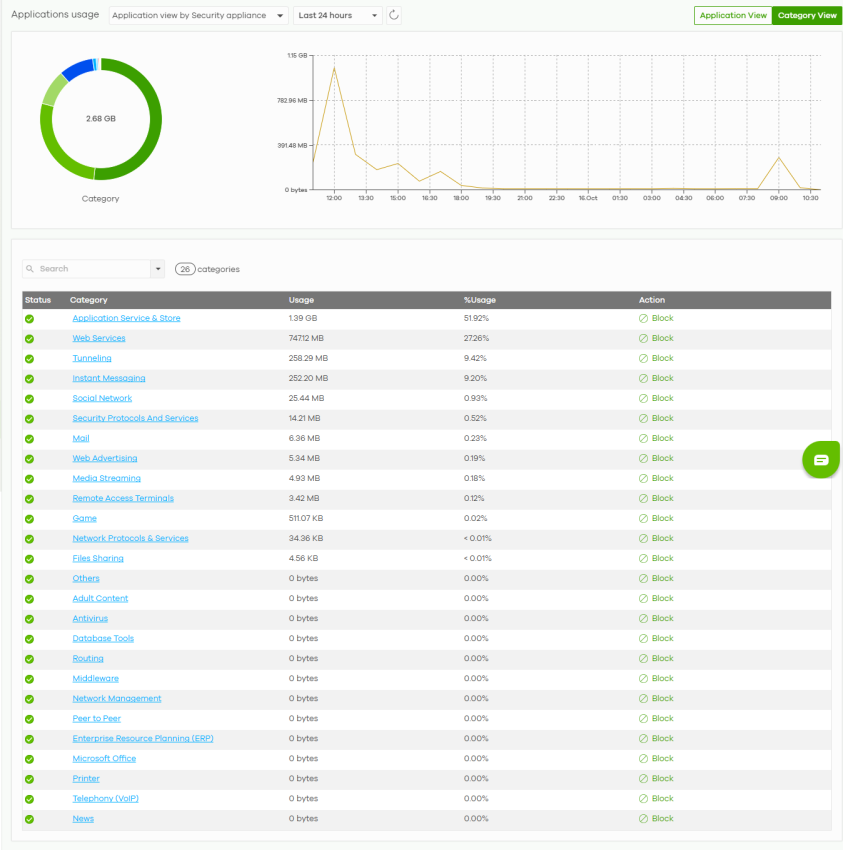
The following table describes the labels in this screen.
Label | Description |
|---|---|
Applications | In Application view, select to view all applications of Nebula Security Appliances / Nebula Access Points, or only applications with bandwidth or block policies applied to Nebula Security Appliances. In Category view, select to view all applications of Nebula Security Appliances / Nebula Access Points only. Select to view the report for the past day, week, or month. Alternatively, select Custom range... to specify a time period the report will span. You can also select the number of results you want to view in a table. 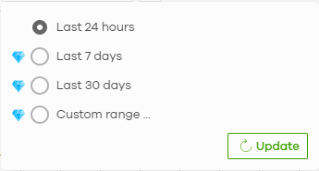 |
 | Click this button to reload the data-related frames on this page. |
Category View / Application View | Click this button to view statistics by application or category. |
y-axis | The y-axis shows the total amount of data used by applications or categories in the site. |
x-axis | The x-axis shows the time period over which the data usage occurred. |
Keyword | Enter a keyword to filter the list of log entries. |
N applications/categories | This shows the number of applications/categories (N) in the list. |
Application/Category-View Fields | |
Show top applications | Click this button to show the top applications by usage. |
Show block applications | Click this button to show the blocked applications. |
Status | This shows whether the application or category is blocked or allowed within the current site. |
Application | This shows the application name. |
Category | This shows the name of the category to which the application belongs. Click this field in Category view to see all applications in the category. |
Limited interface | This shows the bandwidth restriction policy for the application. |
Usage | This shows the amount of data consumed by the application, or all applications in the category. |
% Usage | This shows the percentage of usage for the application or category. |
Action | Click Block to prevent usage of this application. Click Unblock to allow usage of this application. Click Limit to set the bandwidth for the application on the site’s gateway. You can apply the restrictions per gateway interface, or for all interfaces. At the time of writing, this item is not available for USG FLEX H Series. |