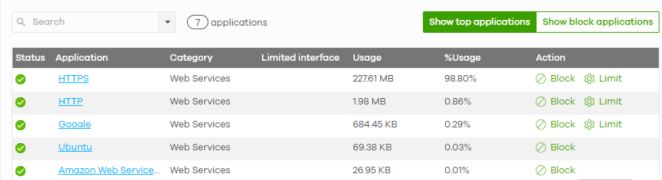
View Applications Usage
You can view an overview of application usage on the Dashboard and detailed usage in the Site-wide > Applications usage screen.
Dashboard
Follow the steps below to view the usage overview on the Dashboard screen.
1 To filter the list of widgets to display on the Dashboard screen, go to Site-wide > Dashboard and click Customize to show the Widget, Reset and Close buttons. Click Widget to filter the list of widgets to display on the Dashboard screen and select Firewall network applications and Access points application usage. Then click Close.
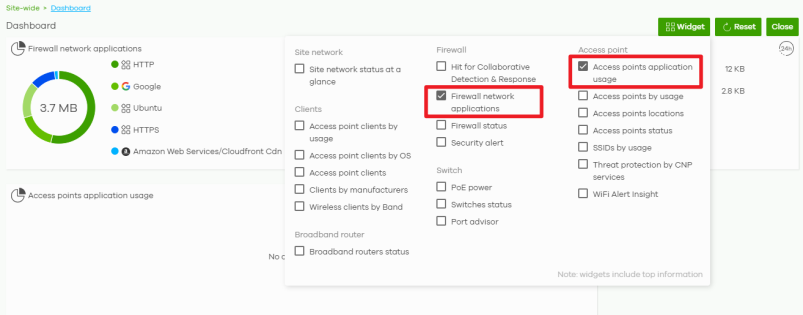
2 The Firewall network applications and Access points application usage widget appears. This allows you to view the top applications used by the Nebula Devices in the site in the past 24 hours.
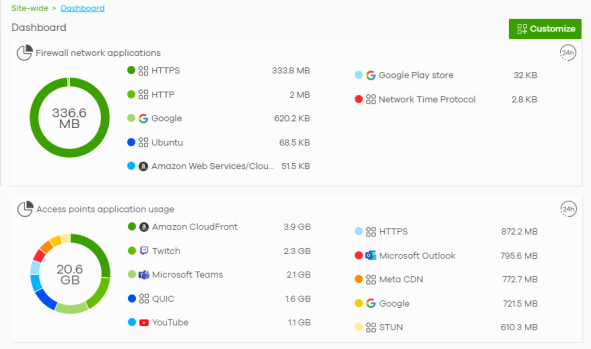
Site-wide > Applications usage
Follow the steps below to view the usage details on the Applications usage screen.
1 Go to Site-wide > Applications usage. Select the application view for security appliance or access point appliance and the time range to display the data.
2 The pie charts show the total data usage and the percentage used by each application or application category. The line chart shows the amount of data used by applications or application categories over the selected time period.
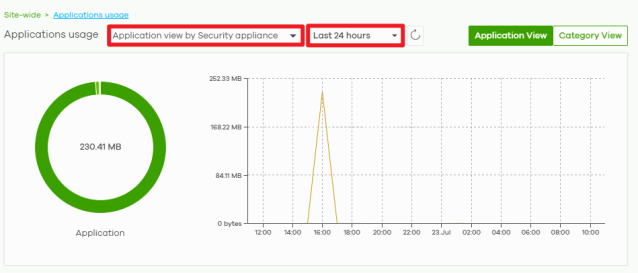
3 See the lower part of this screen for detailed usage information.