Monitor Client Bandwidth Usage (for Nebula Firewalls in NCC only)
To view network statistics for the Nebula Firewall of the selected site, such as top client bandwidth usage, do the following.
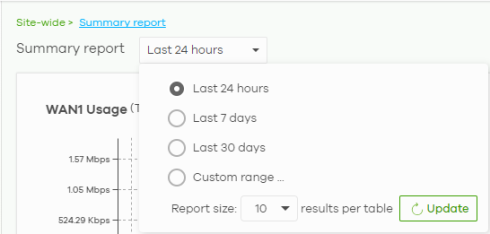
1 Go to Site-wide > Monitor > Firewall > Summary report to select to view the result for the past day, week or month. Alternatively, choose Custom range... to specify a time period the report will span. You can also select the number of results you want to view in a table. Then, click Update.
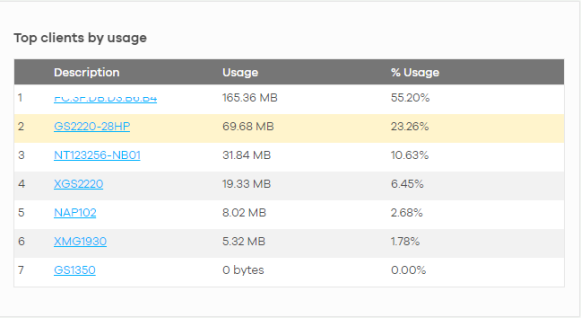
2 Check the Top clients by usage widget.