Register a Nebula Broadband Router in Nebula
To manage a Nebula Broadband Router and monitor its status in NCC, do the following:
Nebula Configuration
1 Use the Setup Wizard to create an organization and a site, and add the Nebula Broadband Router. See Setup Wizard for more information on using the wizard.
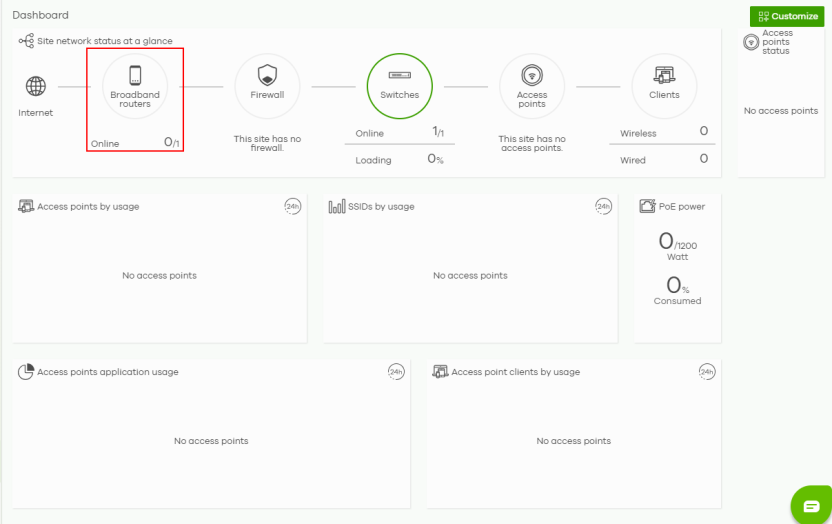
2 After configuring the Setup Wizard, close the NCC welcome message to go to the NCC portal dashboard. 0/1 Online will show on Broadband router. This means that one Nebula Broadband Router is registered in NCC but not yet online.
Insert the SIM Card
Insert the SIM card and do the hardware connections on the Nebula Broadband Router. Refer to the Nebula Broadband Router’s QSG (Quick Start Guide) for more information.
Check the Connection in NCC
1 Go to Site-wide > Dashboard. 1/1 Online will show in Broadband router. This means that one Nebula Broadband Router is registered in NCC and is online.
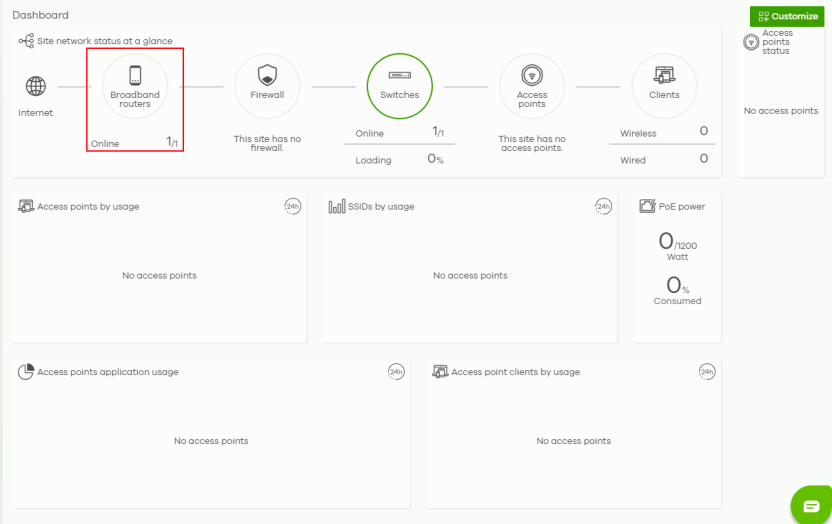
2 Click Broadband router to monitor the Nebula Broadband Router’s status.
The Nebula Broadband Router goes into NCC-managed mode automatically after it is successfully registered in the NCC web portal and can be accessed there.
 Its login password and settings are then overwritten with what you have configured in the NCC web portal. To access the Web Configurator when the Nebula Broadband Router is in Cloud mode, use the NCC Local credentials password to login. The Local credentials: Password can be found in Site-wide > Configure > Site settings > Device configuration.