Search Activity
The Search > Activity screen allows administrators to look up network activity by:
• User
• IP address
• MAC address or
• Hostname of the client device.
For each item, you can see related Security, Network, Traffic and Account (not for Hostname) information.
To perform a search, click Search > Activity.
For a search, first select one of the above items. You may also enter a partial term to generate a list of matching results.
Search > Activity > User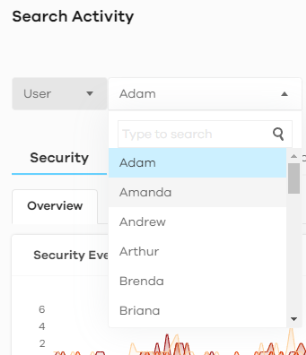
For each item above, you may perform related searches for Security, Network, Traffic or Account.
Security | Network | Traffic | Account | |
|---|---|---|---|---|
• Overview | • URL Threat Filter | • DNS Content Filter | Top Destination Country | • All |
• ADP | • Antivirus / Malware | • App Patrol | Top Destination Port | • Sign In |
• IP Reputation | • Sandboxing | • Web Content Filter | • Sign in Failed | |
• IPS | • Mail Protection | • Sign Out | ||
• DNS Threat Filter | ||||
Security Search
Security searches include:
• Overview
• ADP
• IP Reputation
• IPS
• DNS Threat Filter
• URL Threat Filter
• Antivirus / Malware
• Sandboxing
• Mail Protection
For a User, click Search > Activity > User > Security > Overview to display the following figure.
Search > Activity > User > Security > Overview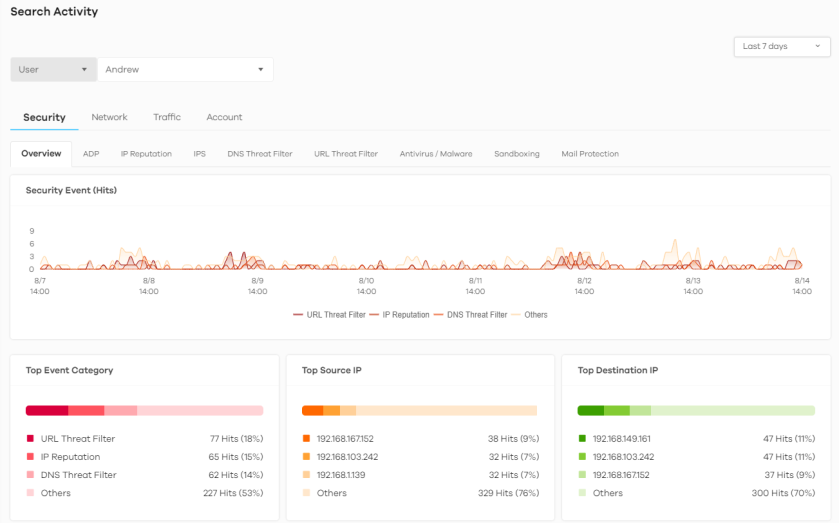
Click a graph to see further usage details for this user. The following figure shows details on security events through the selected Zyxel Device for this user.
Search > Activity > User > Security > Overview > Security Event (Hits)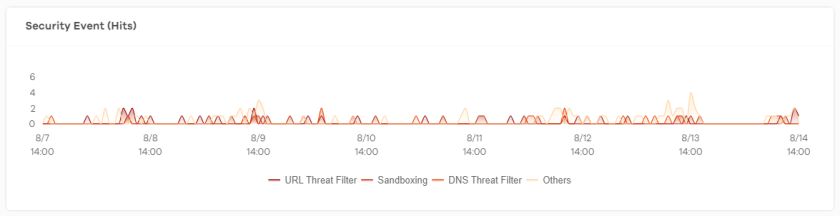
Network Search
Network searches include:
• DNS Content Filter
• App Patrol
• Web Content Filter
For a User, click Search > Activity > User > Network > DNS Content Filter to display the following figure.
Search > Activity > User > Network > DNS Content Filter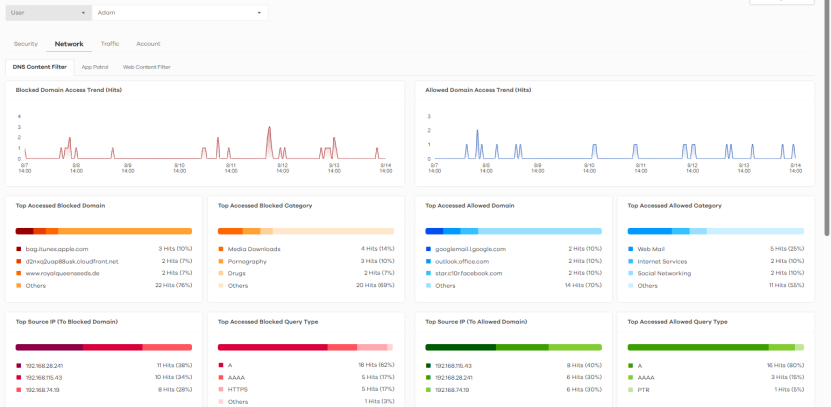
Traffic Search
Traffic searches are for up to seven days of data.
For a User, click Search > Activity > User > Traffic to display the following figure.
Search > Activity > User > Traffic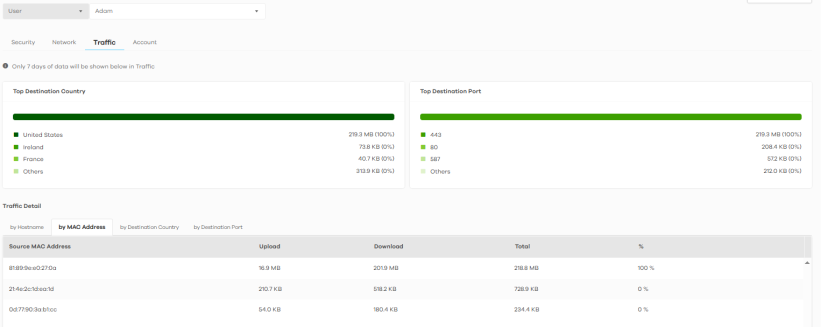
Account Search
Account searches include:
• All
• Sign In
• Sign in Failed
• Sign Out
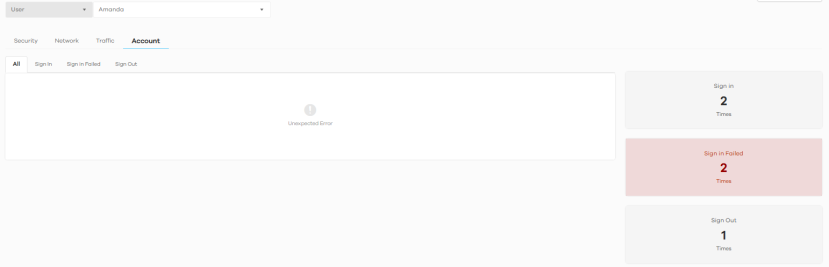
For a User, click Search > Activity > User > Account to display the following figure.
Search > Activity > User > Account