BPDU Guard
BPDU Guard Overview
A BPDU (Bridge Protocol Data Units) is a data frame that contains information about STP. STP-aware switches exchange BPDUs periodically.
The BPDU guard feature allows you to prevent any new STP-aware switch from connecting to an existing network and causing STP topology changes in the network. If there is any BPDU detected on the ports on which BPDU guard is enabled, the Switch disables the ports automatically. You can then enable the ports manually in the PORT > Port Setup > Port Setup screen, or use the SECURITY > Errdisable > Errdisable Recovery screen (see Error-Disable Recovery Setup) to have the ports become active after a certain time interval.
What You Can Do
BPDU Guard Status
Use this screen to view whether BPDU guard is enabled on the Switch and the port status. Click SECURITY > BPDU Guard > BPDU Guard Status to view the following screen.
SECURITY > BPDU Guard > BPDU Guard Status (Standalone Mode)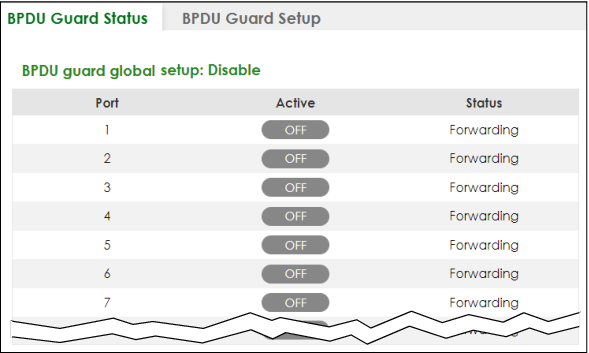
SECURITY > BPDU Guard > BPDU Guard Status (Stacking Mode)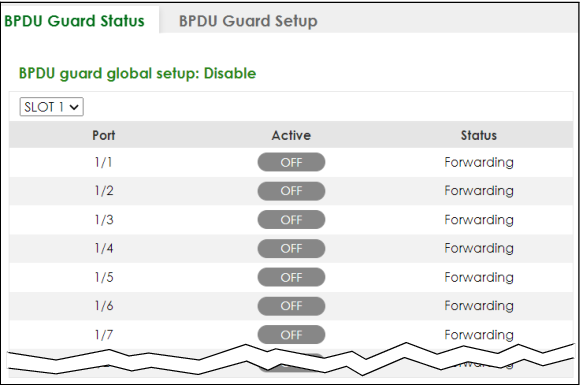
The following table describes the fields in the above screen.
label | description |
|---|---|
BPDU guard global setup | This field displays whether BPDU guard is activated on the Switch. |
SLOT | This field appears only in Stacking mode. Click the drop-down list to choose the slot number of the Switch in a stack. |
Port | This field displays the port number. In Stacking mode, the first number represents the slot ID and the second is the port number. Please note that the default stacking ports (the last four ports of your Switch) cannot be configured. They are reserved for stacking only. |
Active | This shows whether BPDU guard is activated on the port. |
Status | This shows whether the port is shut down (Err-disable) or able to transmit packets (Forwarding). |
BPDU Guard Setup
Use this screen to turn on the BPDU guard feature on the Switch and ports.
Click SECURITY > BPDU Guard > BPDU Guard Setup to display the configuration screen as shown.
SECURITY > BPDU Guard > BPDU Guard Setup (Standalone Mode)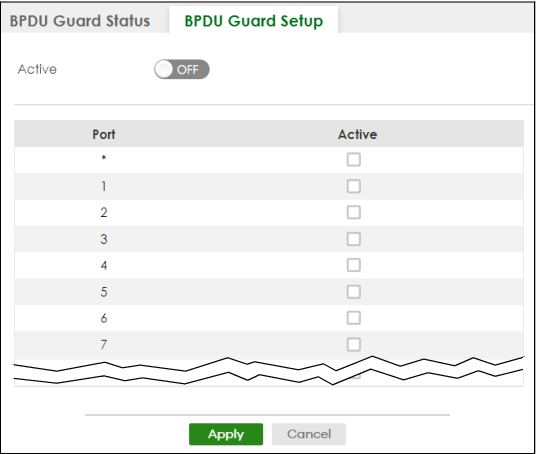
SECURITY > BPDU Guard > BPDU Guard Setup (Stacking Mode)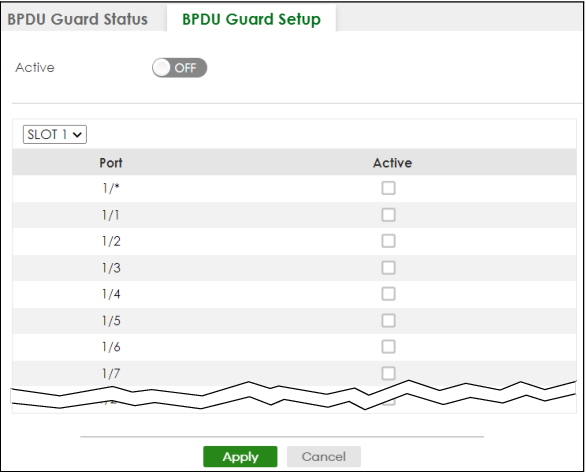
The following table describes the fields in the above screen.
label | description |
|---|---|
Active | Enable the switch button to enable BPDU guard on the Switch. |
SLOT | This field appears only in Stacking mode. Click the drop-down list to choose the slot number of the Switch in a stack. |
Port | This field displays the port number. In Stacking mode, the first number represents the slot ID and the second is the port number. Please note that the default stacking ports (the last four ports of your Switch) cannot be configured. They are reserved for stacking only. |
* | Settings in this row apply to all ports. Use this row only if you want to make some settings the same for all ports. Use this row first to set the common settings and then make adjustments on a port-by-port basis.  Changes in this row are copied to all the ports as soon as you make them. |
Active | Select this checkbox to enable the BPDU guard feature on this port. The Switch shuts down this port if there is any BPDU received on the port. Clear this checkbox to disable the BPDU guard feature. |
Apply | Click Apply to save your changes to the Switch’s run-time memory. The Switch loses these changes if it is turned off or loses power, so use the Save link on the top navigation panel to save your changes to the non-volatile memory when you are done configuring. |
Cancel | Click Cancel to begin configuring this screen afresh. |